
How Fishbrain actually remembers your work.
Fishbrain is a scoped memory layer that sits between you and your LLM—so your AI remembers projects, not just chats.
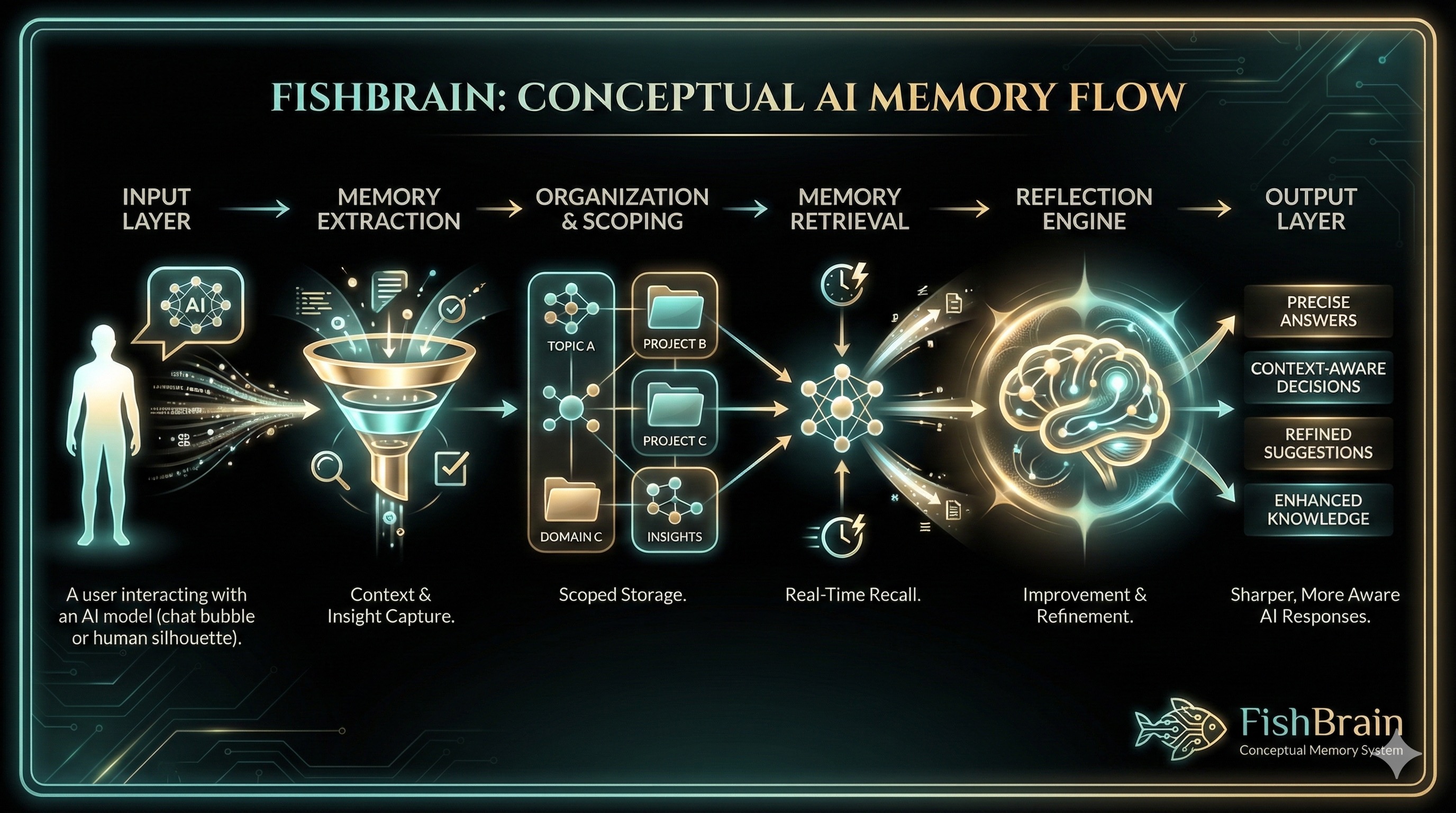
The Scoped Memory Model
Fishbrain organizes your AI's memory into a clear hierarchy: Global → Domain → Topic. Each level scopes what your model remembers and when.
Global
Always-on memories about you as a person. Your preferences, writing style, communication habits—context that applies everywhere.
Domain
Projects, areas, or contexts. "Client A", "Personal Life", "Side Project"—each domain has its own isolated memory pool.
Topic
Individual threads or workstreams within a domain. Focused contexts for specific tasks that inherit from their parent domain.
Think of your domain as an entire ocean. The water from that ocean can flow into bays (topics), but the water from one bay never flows into another bay unless you explicitly move it. This keeps your projects clean and prevents memory bleed.
What happens when you send a message
Four steps, every time. Automatic, transparent, and under your control.
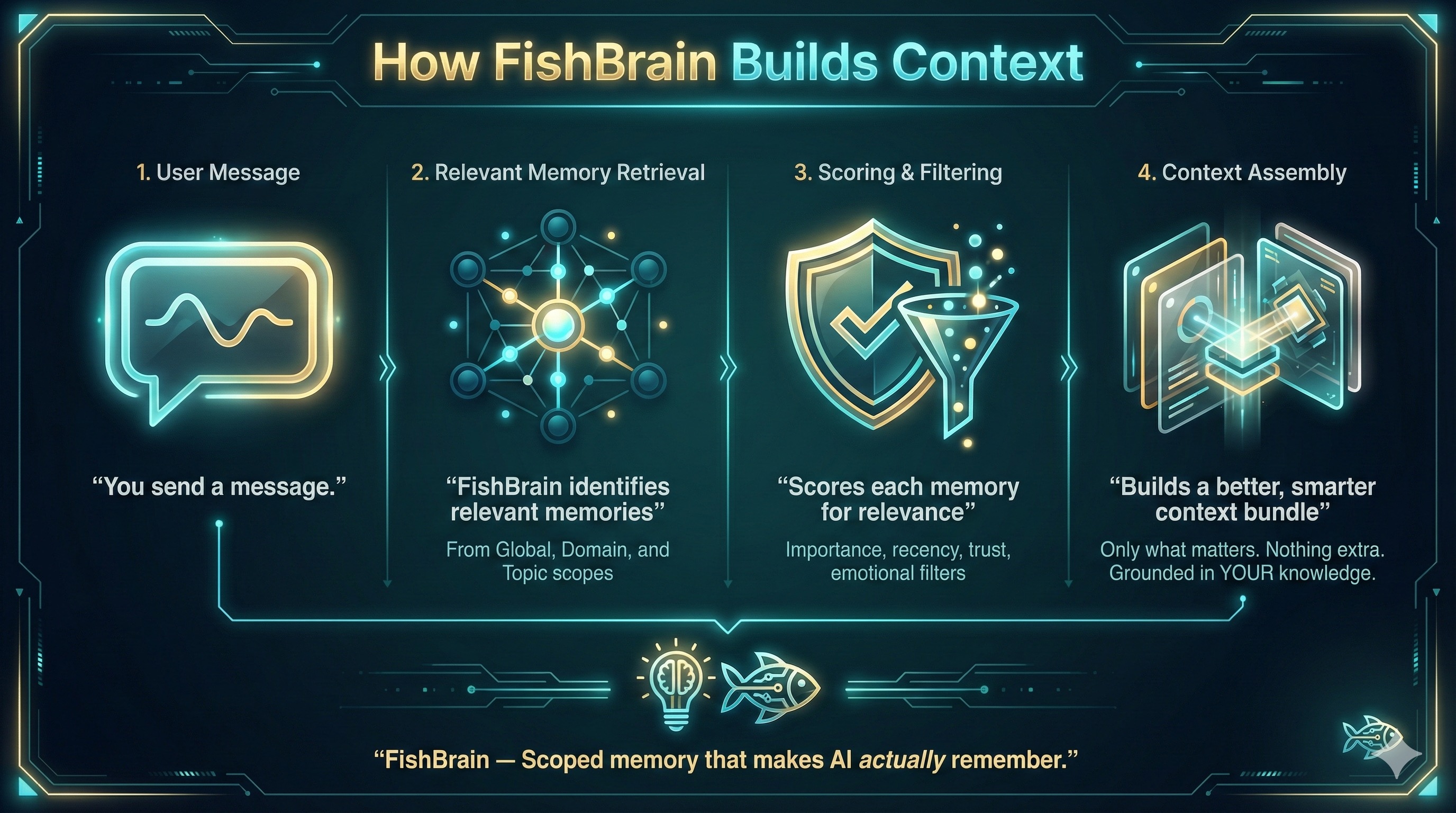
You ask a question
You type in any of your favorite models—GPT, Claude, Gemini, Grok, or Memphish. Just a normal chat, nothing special on your end.
Fishbrain pulls relevant memories
We search your global + domain + topic memories and build a scoped context bundle. Only what's relevant to your current scope is included.
The model responds with context
Your LLM sees the context and answers like it actually knows your ongoing work. No more re-explaining. No more context amnesia.
Reflection updates your memory
After the response, the Reflection Engine can extract new factlets and store them for next time. Your AI gets smarter with every conversation.
"Why did my AI say that?"
If your model says something weird, Fishbrain can show you exactly why.
"Based on your previous discussions with Sarah about the Q4 deadline, I'd recommend moving the launch to November 15th instead of the original October date. This aligns with the buffer time you mentioned preferring."
Wait, who's Sarah? And when did I mention a buffer?
Memories Injected (3)
Discussed Q4 launch timeline. Sarah prefers October but acknowledged we might need buffer...
I prefer 2-week buffer times before major launches to handle unexpected issues...
Original launch date: October 1st. Dependencies: design review, QA sign-off...
With the Context Manager, you can:
See exactly what was used
View the exact memories injected into each response
Edit or adjust importance
Correct mistakes or lower/raise memory priority
Delete entirely
Remove memories you don't want used anymore
Built for transparency and control
Scoped, structured memory
No topic bleed between projects
Multi-provider support
OpenAI, Claude, Gemini, Grok
Reflection engine
Turns chats into reusable factlets
Full transparency
See and edit exactly what your AI uses
Ready to give your AI a real memory?
Start with your first month free. No credit card required.